What 20/20 describes, and what it leaves out
20/20 is a ratio with a testing convention behind it, not a percentage of healthy vision. A person can understand the ratio perfectly and still misread what an online result says. I keep three layers separate: the symbol's geometry, the response procedure and the professional interpretation.
Start with the visual angle
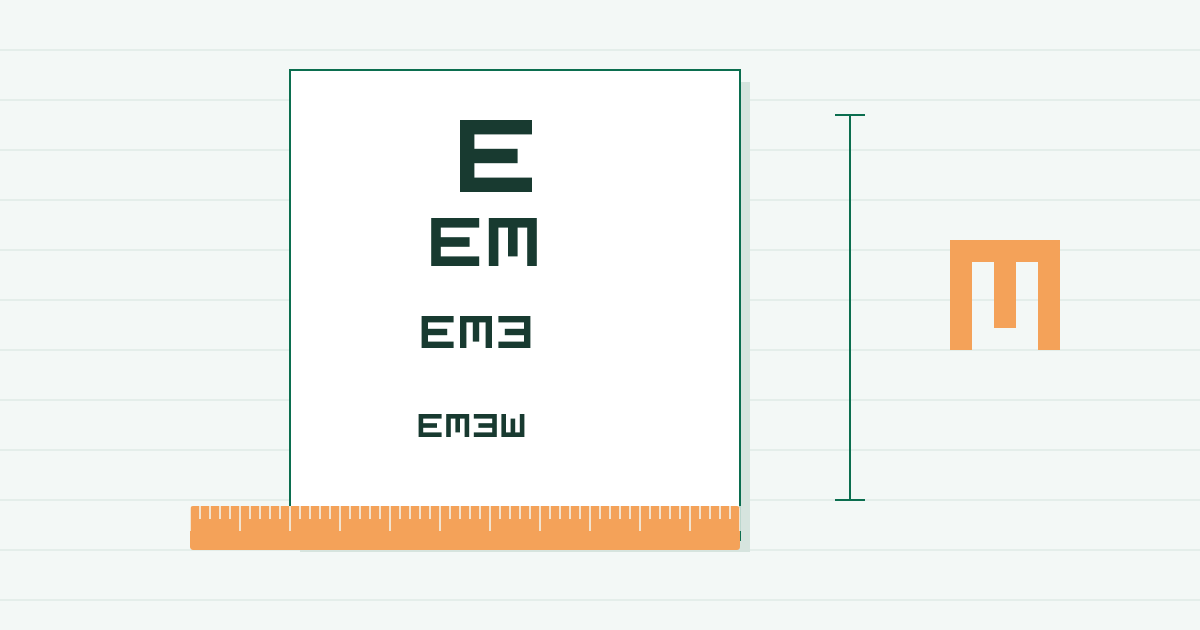
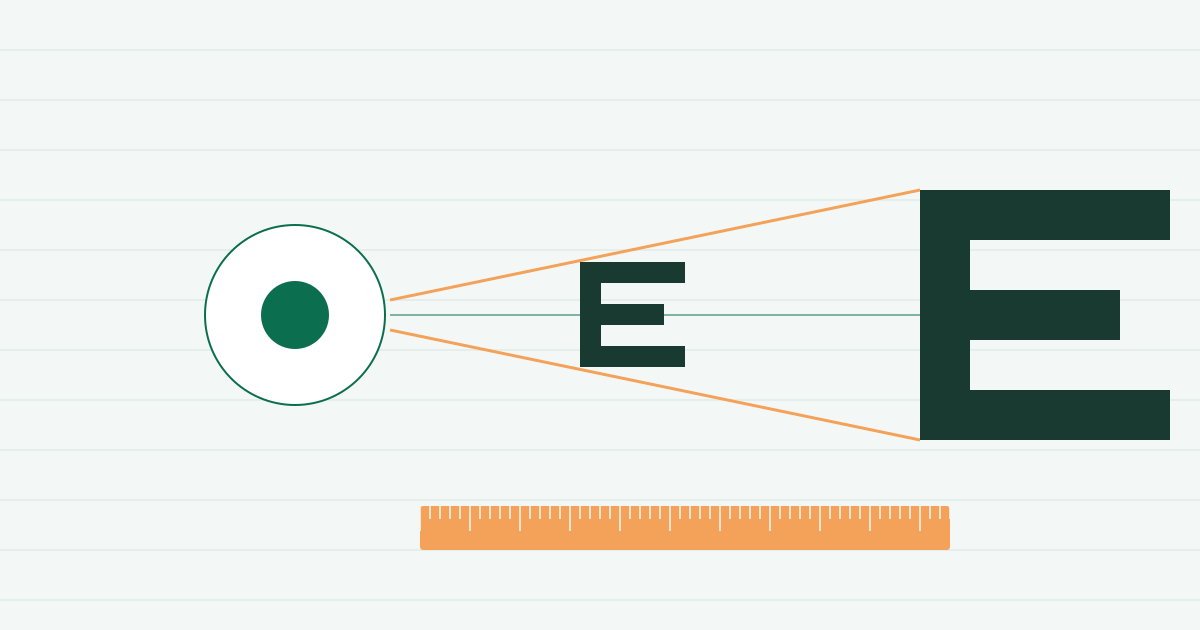
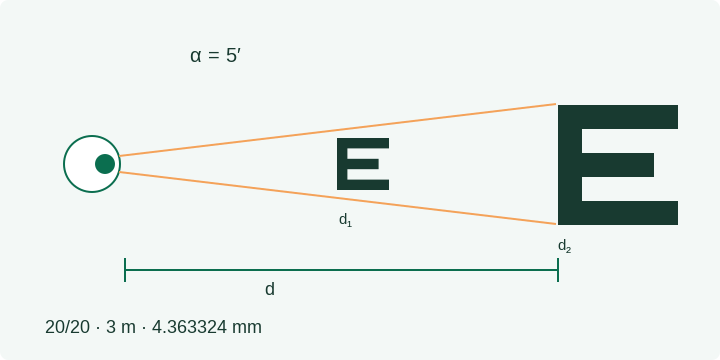
A reference optotype convention connects a whole symbol with five arcminutes of visual angle. An arcminute is one sixtieth of a degree. On a five-unit E grid, a bar and its gap each occupy one unit, so they correspond to one fifth of the whole height. AAO EyeWiki discusses visual acuity testing; the tool uses this geometric idea without claiming the exercise has clinical validation.
Moving the same symbol farther away decreases the angle it occupies at your eye. To keep the same angle at a longer distance, its physical size must increase. That is why a size in screen pixels alone cannot justify a ratio label. Physical scale and distance are both needed, and the response task still needs its own limitations.
Separate the numerator from the denominator
In a conventional distance-acuity ratio, the numerator describes the testing distance and the denominator relates to a reference distance for the optotype. A larger denominator at the same numerator corresponds to a larger symbol and a coarser geometric level. The online tool labels its symbol sizes with familiar 20/x equivalents while constructing them for the measured distance you enter.
It does not require a 20-foot room merely because the numerator reads 20. The underlying angle is what the drawing calculation preserves. That convenience should not turn into a claim that a short home task is interchangeable with a clinical chart at another distance. Procedure, display and interpretation remain different questions.
Work one example all the way through
At 3 metres, a reference 20/20-size E uses a five-arcminute total angle. Converting the angle gives 5 × π ÷ 10800 ≈ 0.001454441 radians. The whole height is 2 × 3000 × tan(0.001454441 ÷ 2) ≈ 4.363324 mm. If a measured object establishes four CSS pixels per millimetre, the browser draws 4.363324 × 4 ≈ 17.453296 CSS pixels.
Each bar is one fifth of that height: approximately 3.490659 CSS pixels. These numbers explain the drawing, not the accuracy of a person's result. Rounding the geometry for an explanatory table is different from changing the actual drawn size. The tool retains the full numeric calculation until rendering.
Compare the same level at several distances
| Distance | Whole height | At 4 CSS px/mm |
|---|---|---|
| 0.6 m | 0.872665 mm | 3.490659 px |
| 1 m | 1.454441 mm | 5.817765 px |
| 3 m | 4.363324 mm | 17.453296 px |
The shorter distances draw smaller bars. The software requires a bar to cover at least one physical screen pixel, using the browser’s device-pixel ratio, and the full E to fit the display. At four CSS pixels per millimetre on a 1× display, the 0.6 metre example is below that guard but the 1 metre example is drawable. A denser screen may render more of the smaller lines. The test marks an unrendered line as a device limit instead of a wrong response.
Read the exercise rule literally
The vision test presents three directions per geometric line. Two correct answers advance to the next smaller E; zero or one stops that eye. There are nine lines and at most 27 answers per eye. This is the software’s disclosed home-task rule. It estimates acuity from the smallest passed line, showing a 20/x fraction and 20 divided by the denominator as a decimal. For example, 20/40 gives 20 ÷ 40 = 0.5. Each eye gets its own stage and result.
Failing the largest line gives a result below 20/200 without assigning a more precise fraction. A device limit means the next line was not presented; it is not counted as an eye failure. Passing all lines gives 20/16, with no claim about finer levels. The result card also includes contrast, six original colour-dot patterns, radial-line observations the Amsler grid and near reading. A device-limited attempt cannot receive the normal overall message. Start again clears the attempt and returns to calibration.
Recognize what the ratio does not examine
A direction task uses central shape recognition under the conditions provided. It does not examine the inside of the eye or determine a glasses prescription. The National Eye Institute explains a dilated eye examination, including professional inspection of structures a screen cannot see.
Home performance can vary with distance, lighting, correction and guessing. The existence of those influences does not make every observation useless, but it makes precise-sounding claims inappropriate. I would write what was presented and what was reported, then leave the medical interpretation to an eye care professional. Sudden changes or pain are a reason to seek help rather than use a home ratio as reassurance.
Keep paper and near reading in context
A printed illustration needs its own scale check even when the drawing file has correct geometry. Printer Fit or Shrink can alter every optotype. Follow the printable-chart guide and measure the check bar; the nominal labels cannot compensate for an incorrectly scaled sheet.
Near reading is another task again. A CSS font size is not a clinical N or J reading equivalent, and difficult small text does not identify a lens strength. The near-reading guide explains a useful observation record. Keep the chart ratio, the reading situation and clinical conclusions separate, even if all three happen to be discussed during the same appointment.
Explain a repeated attempt honestly
Repeating the browser sequence produces new random directions, but a new sequence does not remove the effects of practice or changed conditions. Keep the measured setup stable and state that the task was repeated. Do not select only the best-looking attempt and call it a certified result. The software records one attempt in the page. Going back to repeat a part clears that part and the later answers, so a new right-eye or left-eye response cannot be mixed with a superseded result. The final card states a next step and the software reference criteria alongside the measured scores. Copy or download before starting again if you want to retain it; no medical history is saved automatically.
Common questions
Is 20/20 the same as perfect eye health?
No. The ratio describes a distance-acuity convention; it is not a percentage or an examination of every part of the eye. A browser exercise cannot establish eye health.
Why does the tool use 20/20 at a distance of 3 metres?
Its 20/x labels describe equivalent symbol angles. A 20/20-size E at 3 metres is approximately 4.363324 mm high. This does not make the home procedure equivalent to a clinical test.
What does a display-limit ending mean?
The next symbol would be too small to draw with the required bar thickness or too large to fit. It was not presented, so the software records a device limit rather than a failed answer.
What happens after the 20/16 line?
The original practice sequence ends. Completing it means no smaller symbol was tested; it does not produce a more precise acuity claim.